

You've decided to run a challenge with your clients. Great. Now comes the part nobody talks about: how are you actually going to manage the thing?
A challenge is only as good as the system running it. Pick the wrong tool and you'll spend more time updating spreadsheets and chasing screenshots than actually coaching. Pick the right one and the challenge practically runs itself while your clients compete, earn badges, and stay engaged for weeks.
If you're looking for the full breakdown of how challenges work and why they matter, start with our Ultimate Guide to Client Challenges for Online Coaches. This post focuses on the practical question: what tool should you use to run them?
Here are five options, ranked from the most manual to the most automated.
The 5 tools
- 1. Spreadsheets and Google Sheets
- 2. WhatsApp and Telegram Groups
- 3. Standalone Challenge Apps
- 4. Social Media Challenges
- 5. Built-In Coaching Platform Challenges
Tool 1: Spreadsheets and Google Sheets
This is where most coaches start, and there's no shame in it. A shared Google Sheet with client names in the rows and days in the columns is simple, familiar, and free.
You create a sheet, share the link with your clients, and ask them to log their daily numbers - steps walked, workouts completed, calories hit. You manually tally the results, sort the leaderboard, and announce winners in your group chat.
The upside is obvious: zero cost, zero learning curve. If you've got 5 clients doing a simple 7-day step challenge, a spreadsheet handles it fine.
The downside is equally obvious: everything is manual. Clients forget to log. Some log incorrectly. You spend time every day checking entries, following up with people who haven't updated, and re-sorting the leaderboard. There's no automation, no notifications, and no visual gamification. A cell turning green when a target is hit is about as exciting as it gets.
Spreadsheets also create a fragmented experience. The client is logging workouts in one app, tracking nutrition in another, checking the leaderboard in a Google Sheet, and receiving challenge updates in a WhatsApp group. That's four touchpoints for one challenge. Every additional touchpoint is a place where engagement can leak.
Spreadsheets also break down when you want to add gamification. There's no built-in way to create badges, track milestones, or send automated notifications when someone hits a target. You can approximate it with conditional formatting and manual shout-outs, but it's a pale imitation of what a purpose-built system delivers.
Best for: Coaches just starting out with fewer than 10 clients, running a single short challenge to test the concept before investing in a dedicated tool.
Tool 2: WhatsApp and Telegram Groups
The next evolution from spreadsheets is moving the challenge into a group messaging app. You create a dedicated WhatsApp or Telegram group for the challenge, clients post their daily proof (screenshots, photos, check-ins), and the group's social energy does the motivating.
This approach has a real advantage over spreadsheets: social accountability. When a client sees everyone else posting their workout screenshots at 7 AM, the pressure to participate is immediate and visceral. Group dynamics do a lot of heavy lifting that a spreadsheet can't replicate.
But the problems stack up quickly. The group chat becomes a firehose of messages, screenshots, and off-topic conversations. Finding a specific client's progress means scrolling through hundreds of messages. There's no automated tracking - you're still relying on self-reported data. And the "leaderboard" is whatever you manually compile and post to the group.
Telegram bots can add some structure (polls, counters), but they're limited and require technical setup. WhatsApp has no real automation at all.
The bigger issue is professionalism. A fitness challenge run entirely through WhatsApp feels casual. It works for a free community challenge to attract leads. It doesn't feel like a premium coaching experience your paying clients expect.
Best for: Free community challenges, lead generation challenges, or coaches who want social engagement without any software cost.
Tool 3: Standalone Challenge Apps
There's a category of apps built specifically for running challenges - tools like ChallengeRunner, MoveSpring, and similar platforms. These are purpose-built for group fitness challenges with features like leaderboards, team competitions, and basic gamification.
The advantages are real. You get a proper leaderboard without manually sorting anything. Some of these apps integrate with wearables to pull step data automatically. The interface is designed for challenges, so clients get a more polished experience than a spreadsheet or group chat.
The drawbacks come from the fact that these are standalone tools. They don't connect to your coaching platform. Your client is doing their workouts in one app, tracking nutrition in another, communicating with you in a third, and now participating in a challenge in a fourth. Every separate app is a friction point.
These tools also tend to focus on step challenges and basic activity tracking. If you want to run a challenge around workout volume, protein target days, or calorie compliance, most standalone apps can't handle that because they don't have access to your clients' training and nutrition data.
Pricing is another consideration. Some charge per participant per challenge, which gets expensive if you're running challenges regularly with 20+ clients.
There's also the onboarding friction. Your clients already have a coaching app. Asking them to download a second app just for challenges creates a barrier. Some will do it. Many won't. And those who don't are the exact clients who would have benefited most from the engagement a challenge provides.
Best for: Corporate wellness programs, large group challenges focused on steps or basic activity, coaches who don't use a comprehensive coaching platform.
Tool 4: Social Media Challenges
Instagram and Facebook challenges are a staple of fitness marketing. You create a hashtag, design some graphics, set the rules, and invite people to participate by posting daily content.
As a marketing tool, social media challenges are excellent. They drive visibility, attract followers, and can generate leads. A "30-Day Squat Challenge" with a branded hashtag can reach thousands of people who've never heard of you.
As a coaching tool, they're weak. There's no tracking beyond manually checking who posted. There's no leaderboard. There's no way to verify that anyone actually did the work versus just posting about it. And the participants are mostly strangers, not paying clients - which means the challenge doesn't directly impact your retention or client outcomes.
Some coaches run closed Facebook Group challenges for their paying clients, which adds a layer of community. But you're still dealing with manual tracking, no automation, and the same fragmented experience problem as WhatsApp groups.
The takeaway is clear: social media challenges are a marketing strategy, not a coaching strategy. They're excellent at the top of the funnel. But once someone becomes a paying client, the challenge experience needs to be more structured, more tracked, and more integrated into the coaching relationship.
Best for: Lead generation and audience building. Not recommended as a primary challenge tool for paying coaching clients.
Tool 5: Built-In Coaching Platform Challenges
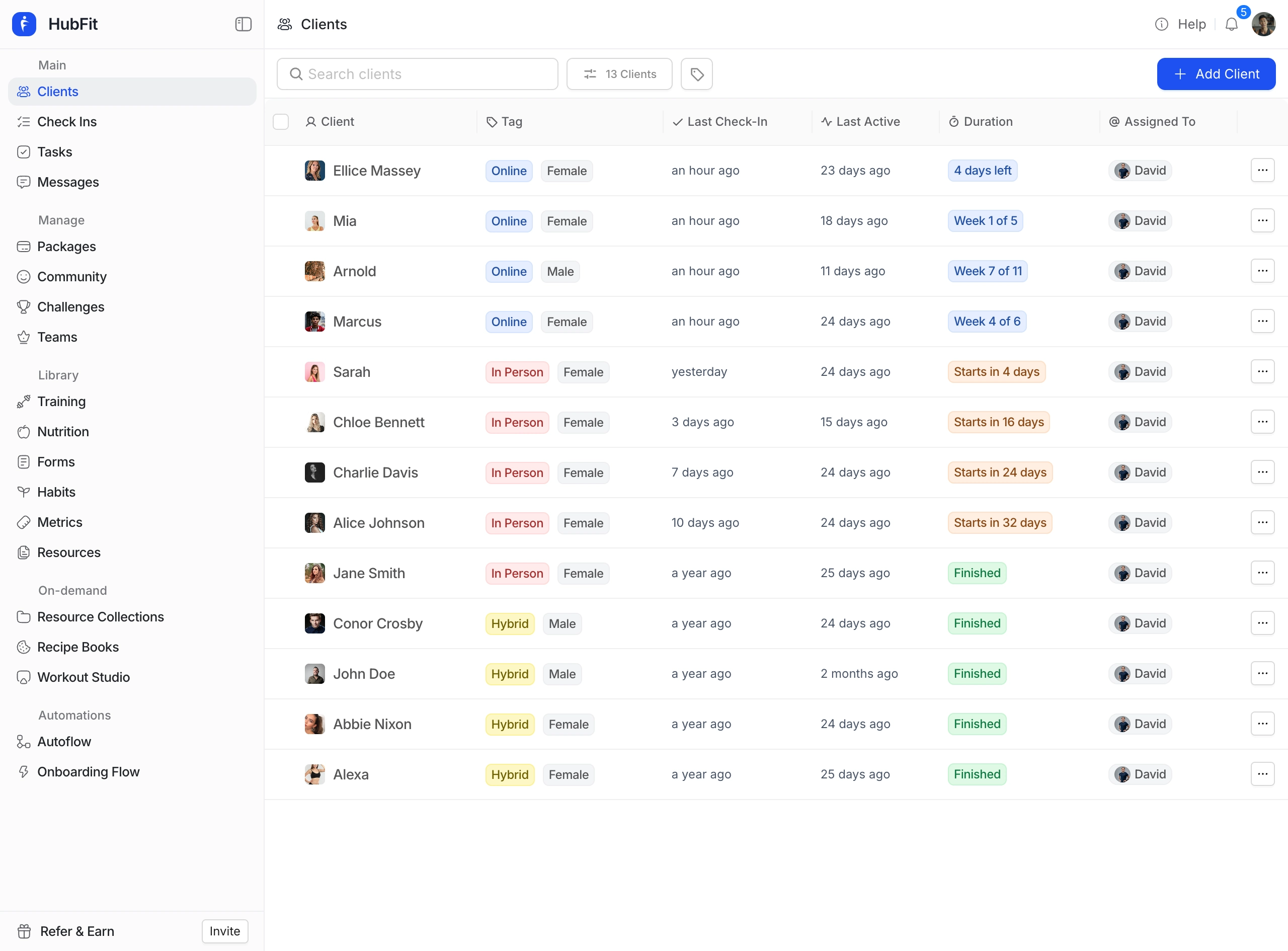
This is where everything comes together. Some coaching platforms - HubFit being the most comprehensive example - have challenge features built directly into the coaching experience. The challenge lives inside the same app where clients do their workouts, log their nutrition, and communicate with their coach.
The difference is integration. When a client completes a workout in the app, their challenge progress updates automatically. When they log nutrition and hit their protein target, the challenge knows. When they walk and their phone syncs step data through Apple Health or Health Connect, the challenge knows. No manual logging. No screenshots. No self-reporting.
HubFit's challenge feature supports 7 challenge types across workouts (total completed, volume, reps), nutrition (days logged, protein target days, calorie target days), and health (total steps). You choose between leaderboard mode for ranked competition or milestone mode for progressive badge-earning with a 5-tier system and 8 unique badge themes.
Notifications handle the engagement automatically. Clients get notified when the challenge starts, when they earn a badge, when they enter the top 3, when someone takes the lead, and when the challenge is ending soon. Coaches get notified too, giving them natural conversation starters without having to manually monitor anything.
Setup takes under 5 minutes. Pick the type, choose the mode, set the duration and thresholds, add your clients, and upload a cover image. Then walk away. The system tracks everything, awards badges, updates leaderboards, and sends notifications for the entire challenge duration.
For a detailed comparison of how HubFit's challenge feature compares to Trainerize, Everfit, TrueCoach, and other platforms, read Which Online Coaching Platform Has the Best Client Challenge Feature.
Best for: Online coaches and personal trainers who want challenges integrated into their coaching workflow with zero ongoing management overhead.
Which Tool Is Right for Your Coaching Business
The answer depends on where you are in your coaching journey and what you're trying to achieve.
If you're just starting out and want to test whether your clients respond to challenges at all, a spreadsheet or WhatsApp group costs nothing and gives you signal. Run one simple challenge, see what happens, and learn from it.
If you're running a free community or trying to generate leads, social media challenges and messaging groups serve that purpose well. The goal isn't retention - it's reach.
If you're an online coach or personal trainer with paying clients and you want challenges to be a core part of your coaching experience, you need a built-in platform solution. The manual approaches don't scale, and standalone apps create a fragmented experience that undermines the premium feel your clients are paying for.
The best tool is the one that lets you launch a challenge in minutes and never think about it again. That's the bar. If you're spending more time managing the challenge than your clients are spending participating in it, you've got the wrong tool.
One more thing to consider: where the tool puts the client experience. Challenges should feel like a natural extension of coaching, not a side activity in a separate app. When the challenge lives inside the same platform where clients do their workouts, log their nutrition, and communicate with their coach, participation rates go up because there's zero friction to engage. The client opens their coaching app, sees the challenge, and their progress is already updated. That seamless experience is what separates a tool from a coaching feature.
HubFit was built with this philosophy. Challenges live inside the same app where clients train, track nutrition, and communicate with their coach. All 7 challenge types are auto-tracked, both leaderboard and milestone modes are supported, and the 5-tier badge system with 8 themes gives clients something worth chasing. Setup takes under 5 minutes, notifications handle the engagement automatically, and the ongoing management time is zero. If you're ready to stop managing challenges and start running them, it's the tool that checks every box.
For more on designing challenges that actually drive results, read our Ultimate Guide to Client Challenges for Online Coaches.