
If you've never run a challenge before, start with steps.
Step challenges are the lowest-friction, highest-participation challenge type available to online coaches and personal trainers. Every client walks. Every modern smartphone tracks steps automatically. And unlike workout volume or protein compliance, step counts don't require any special knowledge, equipment, or behavior change from the client. They just need to move.
The best part is that the data already exists. Your clients' phones are counting their steps right now, whether they're aware of it or not. A step challenge just takes that data and turns it into something visible, competitive, and engaging.
For the full picture on challenge design, types, and strategy, see our Ultimate Guide to Client Challenges for Online Coaches. This post walks you through the specifics of setting up and running a step challenge.
Why Step Challenges Are the Easiest Challenge to Run
Three things make step challenges uniquely simple compared to other challenge types.
First, the tracking is completely passive. Workout challenges require the client to complete and log workouts. Nutrition challenges require the client to log their food. Step challenges require the client to carry their phone - which they're already doing. The data generates itself.
Second, there's no skill gap. Total Workout Volume rewards clients who lift heavy. Protein Target Days rewards clients who understand nutrition. Total Steps rewards everyone equally for the most basic human movement: walking. Your most advanced client and your newest beginner are on the same playing field.
Third, steps accumulate throughout the day, which means the challenge is always active. A workout challenge only progresses when the client is in the gym. A step challenge progresses when the client walks to work, walks their dog, takes the stairs, or paces during a phone call. Every step counts, all day, every day.
How Step Data Gets From the Client's Phone to Your Challenge
Understanding the data flow removes the mystery and helps you explain it to clients who ask "how does it know?"
On iOS, the client's iPhone tracks steps through the built-in motion sensors and stores them in Apple Health. When the client has the coaching app installed and has granted Apple Health permissions, step data syncs from Apple Health into the app automatically. The client doesn't need to open the app or press any buttons. The sync happens in the background.
On Android, the equivalent is Health Connect (formerly Google Fit). The client grants Health Connect permissions, and step data flows from their phone's sensors through Health Connect into the coaching app.
The key point is that this is passive sync. The client sets up the permission once, and from that point forward, their steps flow into the challenge automatically. No daily screenshots. No manual entry. No "I forgot to log my steps." The data is just there.
As a coach, you see updated step totals on the leaderboard or badge board throughout the day. The numbers update as the data syncs, so the leaderboard is always reasonably current.
Setting Up a Step Challenge
The setup process is straightforward. Here's what you need to decide and configure.
Choose Your Challenge Type
Select Total Steps as the challenge type. This tracks cumulative steps across the entire challenge duration. If a client walks 8,000 steps on Monday and 12,000 on Tuesday, their total is 20,000 after two days.
Pick Your Mode
You've got two options. For a full comparison, read Leaderboard vs Milestone Challenges.
Leaderboard works when your group is competitive and roughly similar in daily activity levels. The person with the most cumulative steps at the end wins. Real-time rankings create natural urgency and trash-talking energy.
Milestone works when your group has mixed activity levels or when you want everyone to feel like they're winning. Set 5 badge tiers with step thresholds, and clients earn badges as they hit each target. A client averaging 6,000 steps a day can earn badges just as easily as one averaging 12,000 - you just set the tiers accordingly.
Set the Duration
For leaderboard step challenges, 7-14 days is the sweet spot. Short enough to maintain competitive intensity, long enough to accumulate meaningful totals.
For milestone step challenges, 14-30 days works well. The longer timeframe gives clients more time to earn all 5 badge tiers, and the staggered rewards keep motivation alive across the full duration.
Set Badge Thresholds (Milestone Mode)
This is where you need to think about your clients' baseline activity. A reasonable starting point for a 30-day challenge:
Tier 1: 50,000 steps (roughly 1,700/day - achievable for most people) Tier 2: 100,000 steps (roughly 3,300/day - moderate daily movement) Tier 3: 175,000 steps (roughly 5,800/day - consistent effort) Tier 4: 250,000 steps (roughly 8,300/day - above average) Tier 5: 350,000 steps (roughly 11,700/day - ambitious daily target)
These are rough guidelines. Adjust based on what you know about your clients. If most of your clients are already active and averaging 10,000+ steps a day, push the thresholds higher. If you're working with a sedentary population, bring them down.
The principle stays the same: Tier 1 should be earnable within the first few days, Tier 5 should require sustained effort across the full challenge.
Add Clients and Customize
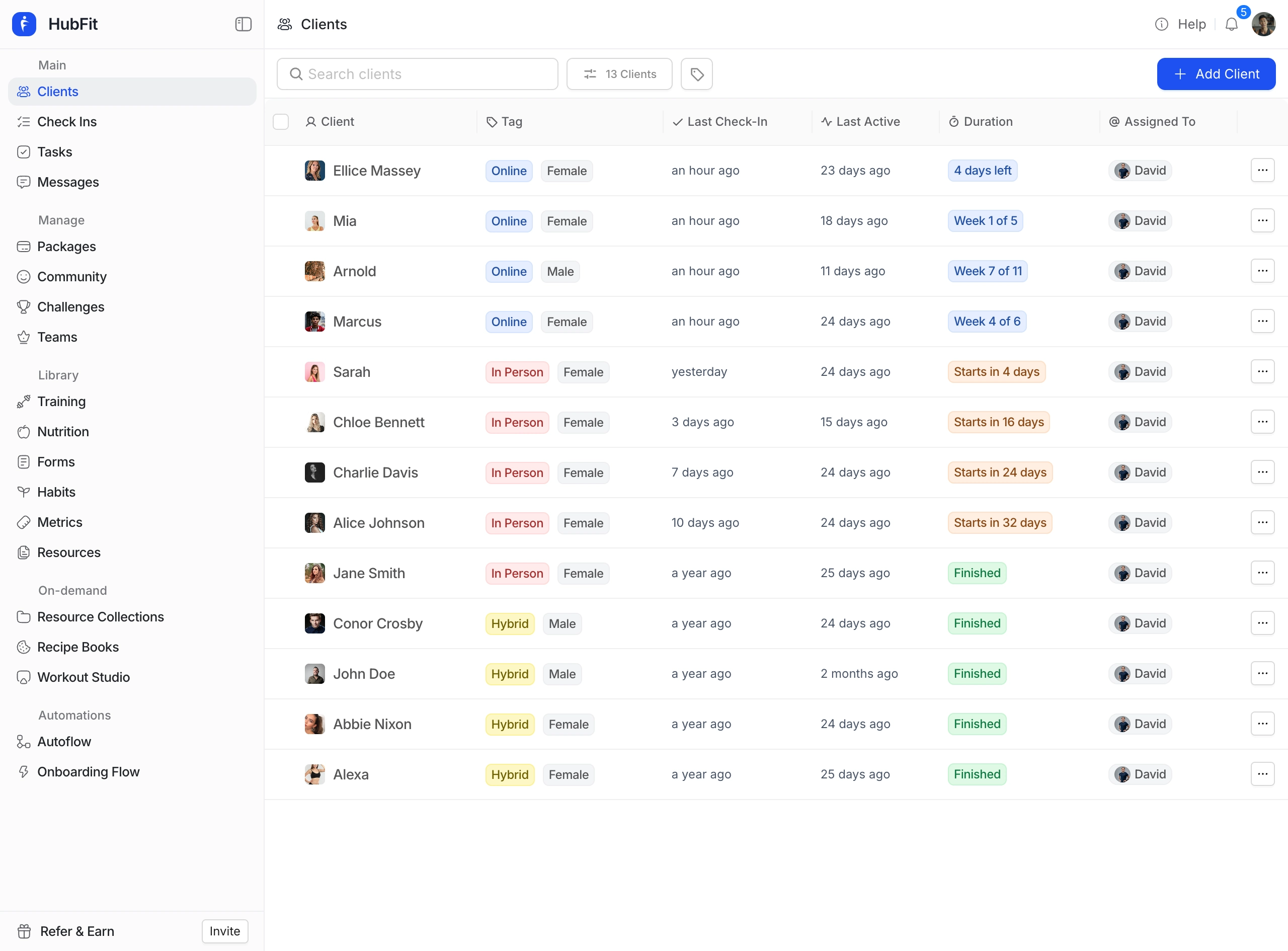
Add the clients you want in the challenge. Give it a motivating name - "Spring Step Showdown" or "March to a Million" beats "Step Challenge." Pick a badge theme that matches the vibe. The Journey theme (Explorer through Pioneer) and Summit theme (Hiker through Summiteer) are natural fits for step challenges. Add a cover image to make it feel polished.
What Clients See on Their End
Once the challenge starts, clients see it in their coaching app alongside their workouts and nutrition.
In leaderboard mode, they see a ranked list of all participants with cumulative step totals. Their own position is highlighted. As their steps sync throughout the day, they can watch their total climb and their position shift.
In milestone mode, they see a badge board showing all 5 tiers, the threshold for each, and which badges they've earned. Earned badges are unlocked and displayed with their theme-specific name and design. Unearned badges show the target they need to hit next.
Notifications keep clients informed without them having to check manually. They'll get notified when the challenge starts, when they earn a badge (milestone mode), when they enter the top 3 or take the lead (leaderboard mode), and when the challenge is ending soon. These notifications happen automatically - no action required from you.
Setting Realistic Step Targets
One of the most common questions online coaches and personal trainers ask is "what's a good step target?" The answer depends entirely on your client population, but here are some benchmarks to work from.
The average American walks about 3,000-4,000 steps per day. Moderately active people hit 7,000-10,000. Very active people (or those who intentionally walk as exercise) may average 12,000-15,000+.
For leaderboard challenges, you don't need to set a target - the competition itself is the target. Clients will push themselves based on where they sit on the leaderboard.
For milestone challenges, set your Tier 1 below what you think most clients are already averaging. The first badge should feel almost automatic. Then scale up so that Tier 3 requires moderate effort above their baseline, and Tier 5 requires a meaningful daily step increase. This creates the momentum curve that keeps clients engaged: quick early win, followed by increasing but achievable stretch goals.
If you're unsure about your clients' baseline step counts, run a 1-week "baseline challenge" first. Set it up as a leaderboard with no prizes, just to see where everyone lands. Then use that data to set your milestone thresholds for the real challenge.
Tips for Maximizing Participation
A step challenge with good bones can still underperform if the execution is off. Here are the details that make the difference.
If you want more challenge formats beyond steps, 7 Client Challenge Ideas That Boost Retention and Engagement covers seven ready-to-launch options including The Step Showdown.
Launch on a Monday. People start things on Mondays. It's arbitrary but it's how most brains work. A challenge that starts mid-week feels less like an event and more like an afterthought.
Explain the health data connection. Some clients won't realize their phone tracks steps automatically, or won't know they need to grant Apple Health / Health Connect permissions. Send a quick message explaining how to set it up. One sentence is enough: "Make sure Apple Health permissions are enabled in the app so your steps sync automatically."
Post a mid-challenge update. Even with auto-tracking and notifications, a personal message from you at the halfway point adds energy. "We're two weeks in and the leaderboard is tight - only 5,000 steps between 2nd and 4th place." Or: "Half the group has already hit Tier 3 - let's see who can reach Tier 5 before the 30th."
Celebrate the end. When the challenge wraps, acknowledge it. Share the final leaderboard or badge tally. Call out standout achievements. This closes the loop and sets the stage for the next challenge. Clients who had a great experience will ask when the next one is.
Run them regularly. Step challenges work well as a recurring event - monthly or quarterly. Clients start to expect and look forward to them. The first one is novel. By the third one, it's a tradition.
For more on how auto-tracking makes step challenges (and all challenges) effortless, read How Auto-Tracked Challenges Save Online Coaches Hours Every Week.
In HubFit, setting up a step challenge takes under 5 minutes. Select Total Steps as the challenge type, choose leaderboard or milestone mode, set your duration and badge thresholds (if milestone), pick a badge theme, add your clients, and launch. Step data syncs automatically from Apple Health and Health Connect with no manual input from anyone. The leaderboard updates in real time as clients walk, and notifications fire when badges are earned, rankings shift, or the challenge is about to end. You don't touch it again until you're ready to launch the next one.
For the full framework on designing any type of challenge, revisit the Ultimate Guide to Client Challenges for Online Coaches.